TICKET PACKAGES
Did you know we are the only college football bowl game that gives 100% of the net proceeds back to non-profit organizations?
Every ticket purchased helps one of the 70+ organizations we have worked with.
Check out our 2025 ticketing options below and find the best one for you!
Check out our 2025 ticketing options below and find the best one for you!
Game Tickets
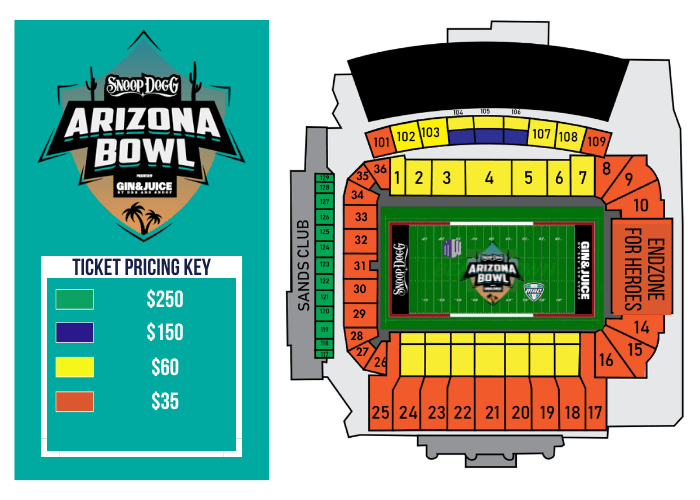
• Game tickets start at $35
• Premium seating in the Sands Club (green section)
• Dunlap Stadium Club (blue section) includes food and soft drinks
Interested in Premium Seating tickets? Call us at 520-AZBOWL1 or email info@theArizonaBowl.com.
• Premium seating in the Sands Club (green section)
• Dunlap Stadium Club (blue section) includes food and soft drinks
Interested in Premium Seating tickets? Call us at 520-AZBOWL1 or email info@theArizonaBowl.com.
Group Tickets
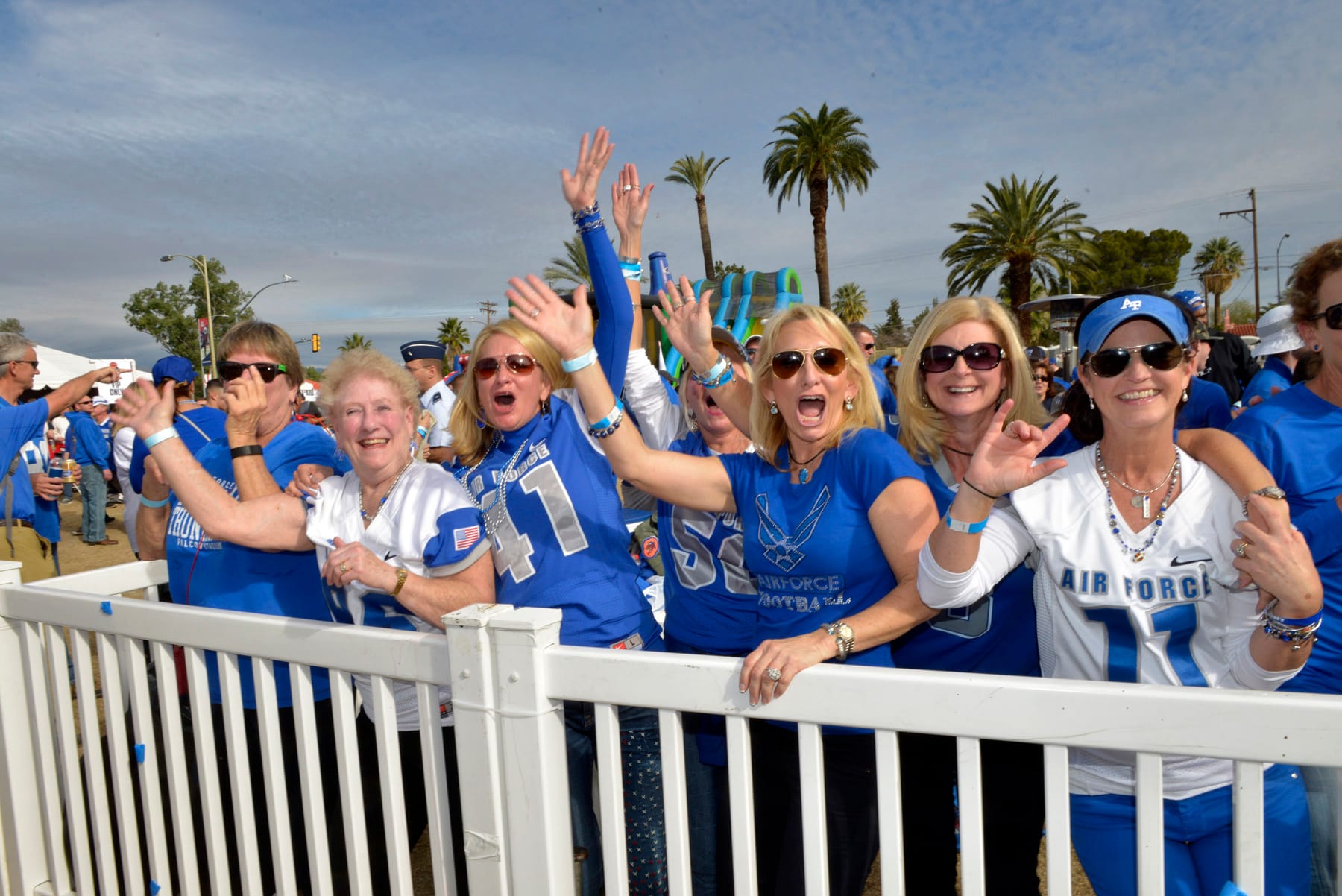
Whether you are getting a group of friends together or hosting a holiday party to entertain clients and employees, the Snoop Dogg Arizona Bowl, presented Gin & Juice by Dre and Snoop, is the place to be this December! We offer special ticket packages for groups of 15 or more to enjoy the festivities of a college football bowl game while supporting the Southern Arizona community.
Group tickets for groups of 15 or more are $50 (yellow sections, normally priced at $60) and $30 (orange sections, normally priced at $35).
Group tickets for groups of 15 or more are $50 (yellow sections, normally priced at $60) and $30 (orange sections, normally priced at $35).
Special Group Offers
Scoreboard Recognition
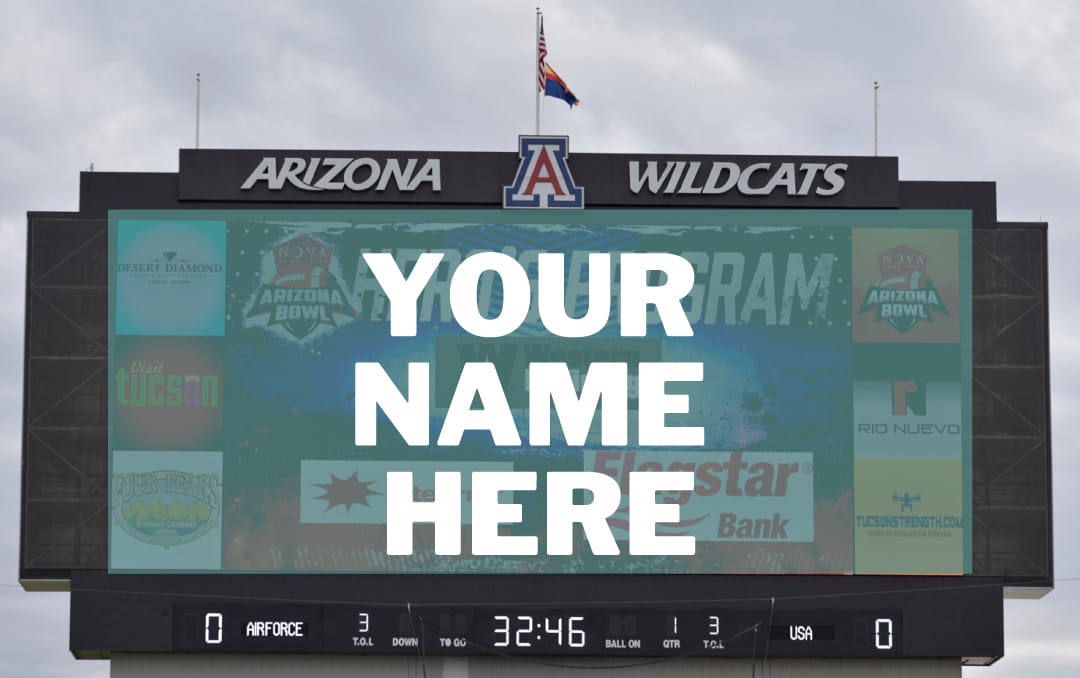
Your group’s name will appear on the video board. (minimum purchase of 50+ tickets; deadline to order is Dec. 19)
Giveaway Add-On
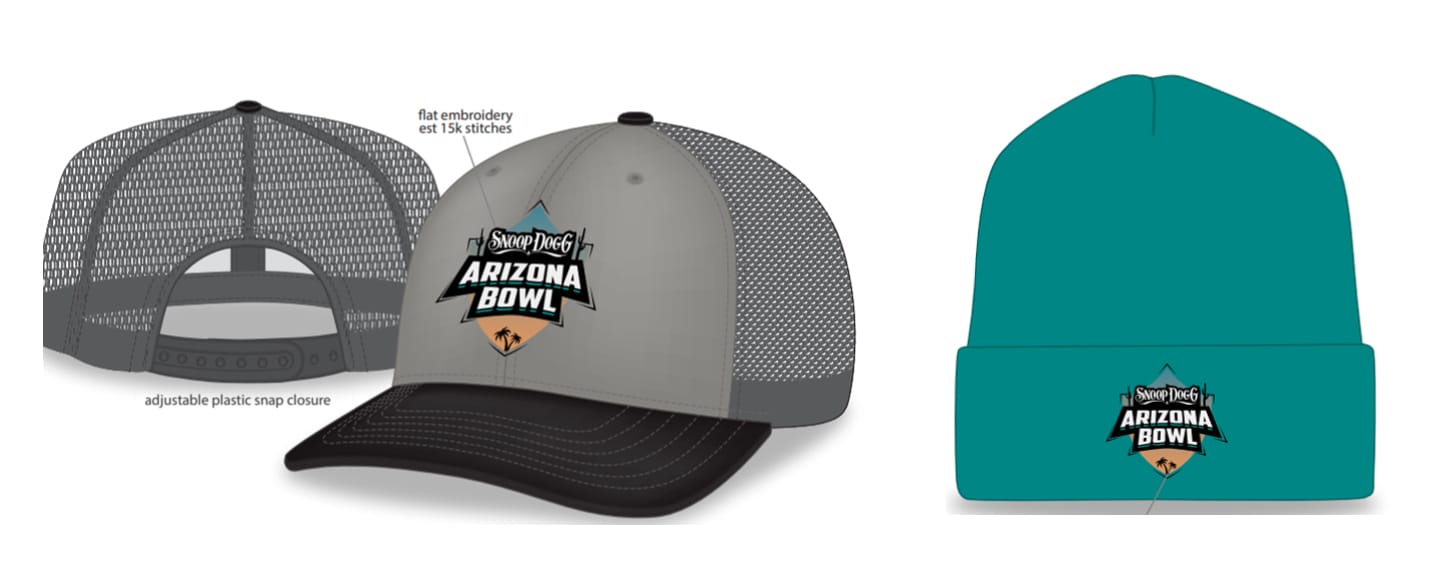
Upgrade your tickets to include an exclusive Snoop Dogg Arizona Bowl, presented by Gin & Juice by Dre and Snoop giveaway item for everyone in the group. Add on $16* per ticket for a hat or $12* per ticket for a beanie. (minimum purchase of 50+ tickets; deadline to order is Oct. 17)
Your group’s name will appear on the video board. (minimum purchase of 50+ tickets; deadline to order is Dec. 19)
Giveaway Add-On
Upgrade your tickets to include an exclusive Snoop Dogg Arizona Bowl, presented by Gin & Juice by Dre and Snoop giveaway item for everyone in the group. Add on $16* per ticket for a hat or $12* per ticket for a beanie. (minimum purchase of 50+ tickets; deadline to order is Oct. 17)
Tailgate Party
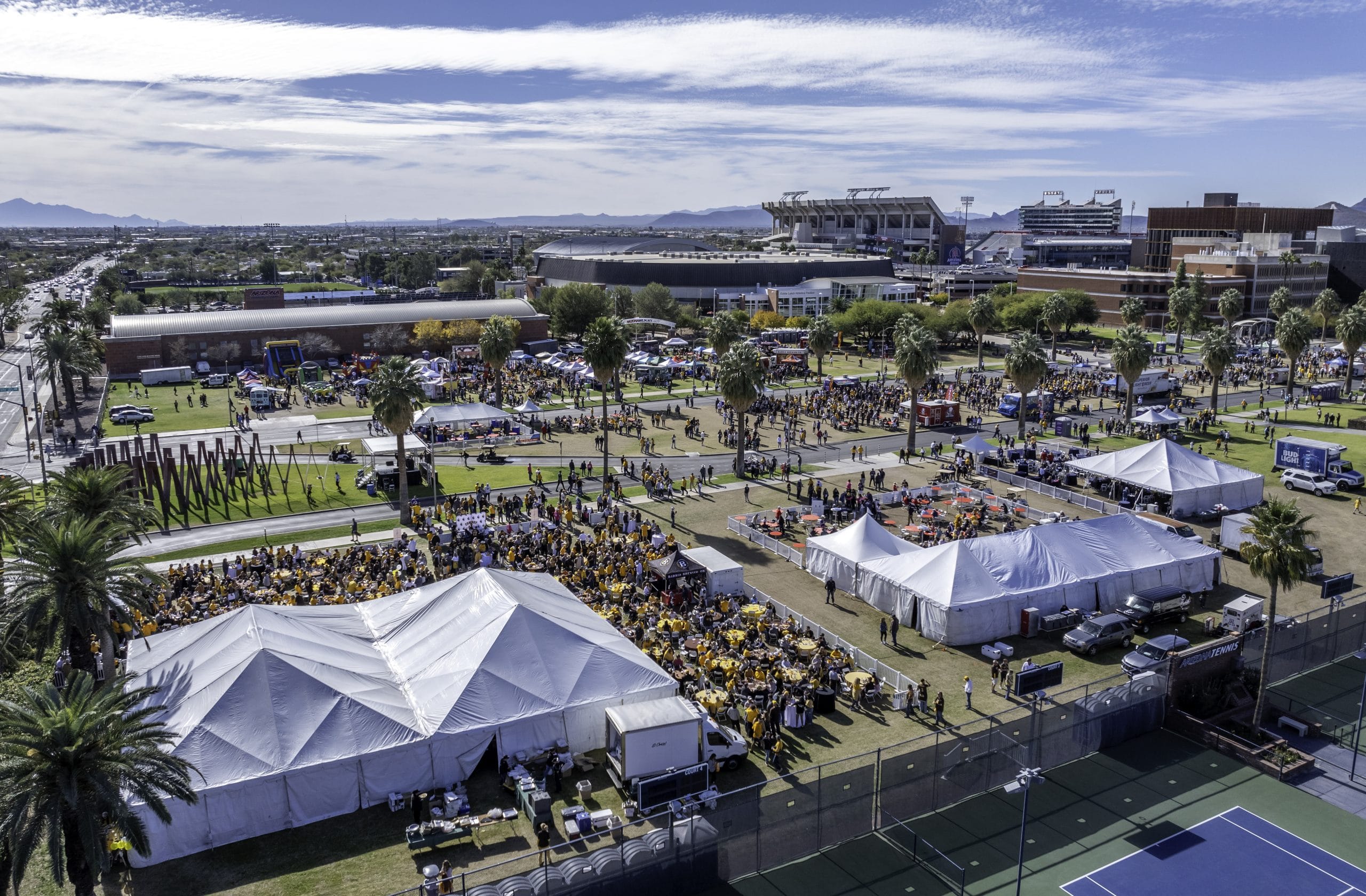
Host Your Holiday Party at the Tailgate Festival! Whether you’re gathering friends or entertaining clients, this is the perfect venue for fun while supporting the mission of the Snoop Dogg Arizona Bowl, presented by Gin & Juice. Located in the heart of the pregame excitement, our festival offers a unique and festive atmosphere. We’ll help you coordinate all the details with our partners, from tables and chairs to food and drinks.
Reserve your space today! Limited spots are available. (minimum purchase of 75 tickets; tailgate space fee is $500; deadline to order is Dec. 12)
Interested in Snoop Dogg Arizona Bowl, presented by Gin & Juice by Dre and Snoop, Group Tickets, and Special Group Offers? Call 520-AZBOWL1 or email Info@theArizonaBowl.com.
Reserve your space today! Limited spots are available. (minimum purchase of 75 tickets; tailgate space fee is $500; deadline to order is Dec. 12)
Interested in Snoop Dogg Arizona Bowl, presented by Gin & Juice by Dre and Snoop, Group Tickets, and Special Group Offers? Call 520-AZBOWL1 or email Info@theArizonaBowl.com.
VIP Tailgate
Get ready for the game with tickets to our VIP Tailgate!
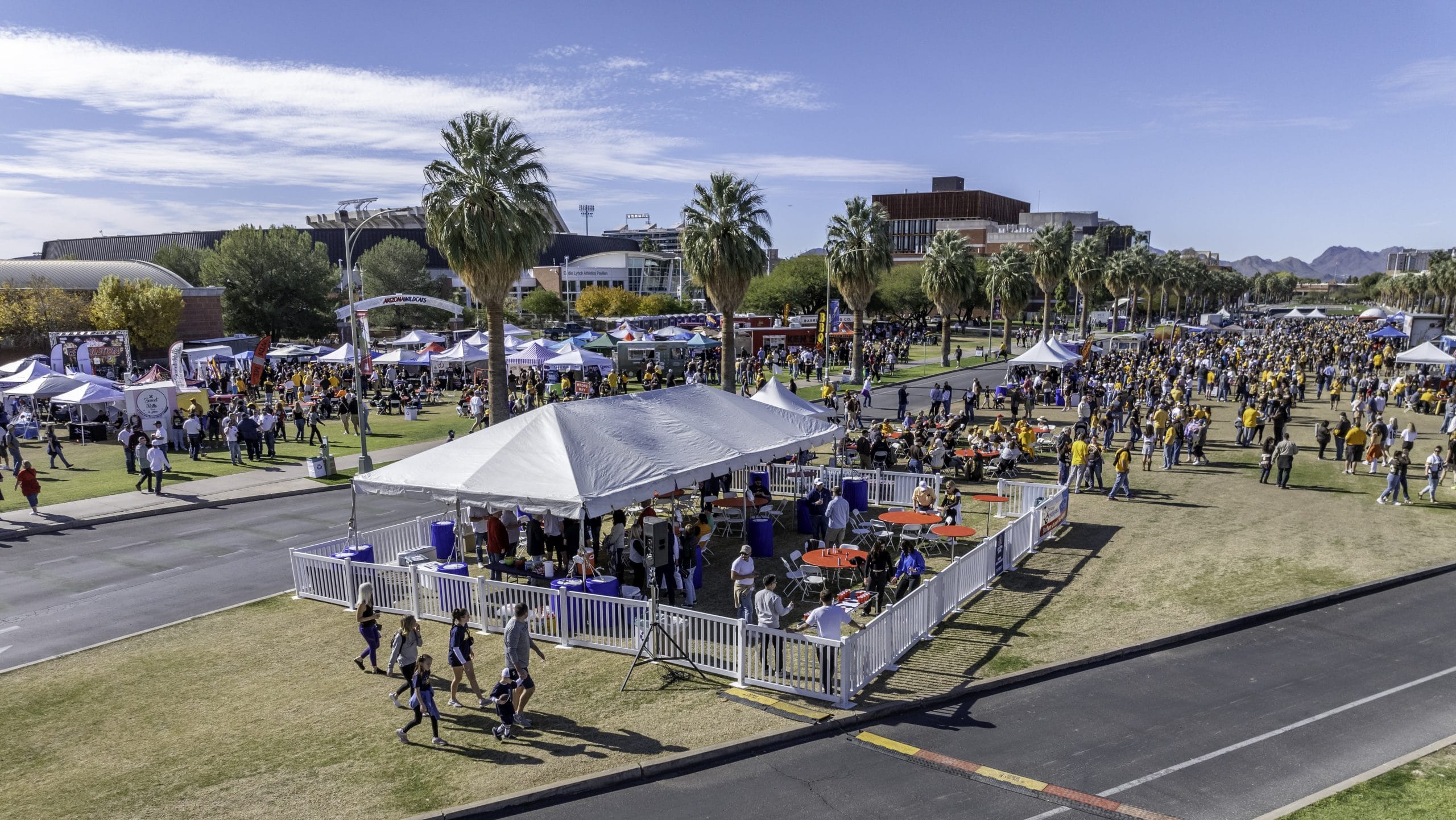
Located instead of the Tailgate Festival, on the beautiful mall of the University of Arizona, our VIP Tailgate has everything you need. Tickets are $95 each, including admission to the VIP area, a meal from El Charro, and three drink tickets.
Located instead of the Tailgate Festival, on the beautiful mall of the University of Arizona, our VIP Tailgate has everything you need. Tickets are $95 each, including admission to the VIP area, a meal from El Charro, and three drink tickets.
PREMIUM SEATING OPTIONS
SUITES
The suite experience is perfect for those looking to entertain a large group of clients, VIPs, employees, etc. You’ll receive 20 tickets to the suite, which includes access to food and soft drinks. Inventory is extremely limited, as our suites have historically sold out every year. For pricing and additional information, contact Eric Rhodes at Eric@theArizonaBowl.com.
SANDS CLUB
The ultimate in premier amenities and luxury game experience begins when you enter the Sands Club, an upscale yet festive atmosphere that offers an outstanding social and business environment.
This is an exclusive and unique experience to entertain family, friends, and clients on game day. You and your guests will enjoy amenities including climate-control temperature, relaxed lounge-style seating, 26 flat screen TVs, improved WiFi and mobile streaming support, buffet, as well as a full-service bar with drinks for purchase.
Sands Club tickets are $250 each and inventory is limited. Includes food and soft drinks. Online sales are not available. To purchase Sand Club tickets call 520-AZBOWL1 (520-292-6951) or email Tickets@theArizonaBowl.com.
This is an exclusive and unique experience to entertain family, friends, and clients on game day. You and your guests will enjoy amenities including climate-control temperature, relaxed lounge-style seating, 26 flat screen TVs, improved WiFi and mobile streaming support, buffet, as well as a full-service bar with drinks for purchase.
Sands Club tickets are $250 each and inventory is limited. Includes food and soft drinks. Online sales are not available. To purchase Sand Club tickets call 520-AZBOWL1 (520-292-6951) or email Tickets@theArizonaBowl.com.
PARKING
Purchase a mobile parking pass in advance for the Cherry Ave. Garage (located across the street from the stadium) for $25.

TICKET ASSISTANCE
It is highly recommended that Arizona Bowl ticket buyers download the SeatGeek app for their mobile device. The app will provide the best fan experience for using your tickets.
Where are my tickets?
Although tickets can be delivered to your account instantly, there may be a period of time between your order confirmation and when you receive the tickets. You may not receive mobile transfer tickets until within 24 hours of the event due to delayed release policies that venues use to keep your tickets safe.
Please log in or select an order above to get more information on the status of your tickets.
I entered the wrong email or shipping address for my order. How can I change it?
If you entered your email wrong or your shipping address, not to worry. This can be easily fixed! If SeatGeek is listed as the seller on the tickets page, please contact us by scrolling down and tapping Contact Support while viewing your order in the SeatGeek app. Click here to see how.
The venue can’t scan my tickets. What should I do?
• Having trouble with your tickets scanning at the venue, while rare, can be stressful. But don’t worry! We are here to help.
• Tickets may not scan for a couple of reasons, so before reaching out to SeatGeek, here are a couple of quick things to try:
• Present your tickets in the correct format. For example, a venue may require you to display your ticket digitally on a mobile device instead of as a printed ticket.
• If you’re displaying tickets on a mobile device, make sure that your device’s brightness is all the way up so that the ticket scanning device can properly read it.
Your order is backed by SeatGeek’s Buyer Guarantee, so if your tickets still aren’t scanning correctly after trying the steps above, contact the SeatGeek team, and we can provide you with options for a refund for your order or comparable replacement tickets to the event.
How do I contact SeatGeek customer service?
You can contact the SeatGeek team of Event Experts from 9 AM EST – 1AM EST by clicking or tapping Contact Support when viewing your order details in the Tickets section of your SeatGeek account. They’ll suggest some articles from our help center, and you can see what support options are available by tapping Contact Us.
SeatGeek suggests contacting their team via the methods available in the SeatGeek app and website, as it’s possible that the phone numbers and email addresses found on other sites might not be legitimate.
To ensure that SeatGeek can best support everyone, Phone support is available within 7 days of your event in case any urgent issues pop up. See all available support options under Contact Support in your order details via the SeatGeek app. If you did not purchase your tickets from SeatGeek, please contact your original point of purchase for any order, delivery, or refund-related inquiries.
Using your Google Wallet or Apple Wallet to hold and display mobile tickets
Unfortunately, our event doesn’t offer the ability to add your tickets to Google/Apple Wallet. You’ll need to access your tickets through the mobile website or (and the recommended process) the SeatGeek App.
Additional Support
If you need additional ticketing support and you could not find the answer to your questions in the information above, please try one of the following:
1. Visit the SeatGeek Help Center
2. Call the Bowl office at 520-AZBOWL1 during normal business hours (Monday – Friday, 9 a.m. to 5 p.m. Mountain)
3. Email Tickets@theArizonaBowl.com and/or football@seatgeek.com
Where are my tickets?
Although tickets can be delivered to your account instantly, there may be a period of time between your order confirmation and when you receive the tickets. You may not receive mobile transfer tickets until within 24 hours of the event due to delayed release policies that venues use to keep your tickets safe.
Please log in or select an order above to get more information on the status of your tickets.
I entered the wrong email or shipping address for my order. How can I change it?
If you entered your email wrong or your shipping address, not to worry. This can be easily fixed! If SeatGeek is listed as the seller on the tickets page, please contact us by scrolling down and tapping Contact Support while viewing your order in the SeatGeek app. Click here to see how.
The venue can’t scan my tickets. What should I do?
• Having trouble with your tickets scanning at the venue, while rare, can be stressful. But don’t worry! We are here to help.
• Tickets may not scan for a couple of reasons, so before reaching out to SeatGeek, here are a couple of quick things to try:
• Present your tickets in the correct format. For example, a venue may require you to display your ticket digitally on a mobile device instead of as a printed ticket.
• If you’re displaying tickets on a mobile device, make sure that your device’s brightness is all the way up so that the ticket scanning device can properly read it.
Your order is backed by SeatGeek’s Buyer Guarantee, so if your tickets still aren’t scanning correctly after trying the steps above, contact the SeatGeek team, and we can provide you with options for a refund for your order or comparable replacement tickets to the event.
How do I contact SeatGeek customer service?
You can contact the SeatGeek team of Event Experts from 9 AM EST – 1AM EST by clicking or tapping Contact Support when viewing your order details in the Tickets section of your SeatGeek account. They’ll suggest some articles from our help center, and you can see what support options are available by tapping Contact Us.
SeatGeek suggests contacting their team via the methods available in the SeatGeek app and website, as it’s possible that the phone numbers and email addresses found on other sites might not be legitimate.
To ensure that SeatGeek can best support everyone, Phone support is available within 7 days of your event in case any urgent issues pop up. See all available support options under Contact Support in your order details via the SeatGeek app. If you did not purchase your tickets from SeatGeek, please contact your original point of purchase for any order, delivery, or refund-related inquiries.
Using your Google Wallet or Apple Wallet to hold and display mobile tickets
Unfortunately, our event doesn’t offer the ability to add your tickets to Google/Apple Wallet. You’ll need to access your tickets through the mobile website or (and the recommended process) the SeatGeek App.
Additional Support
If you need additional ticketing support and you could not find the answer to your questions in the information above, please try one of the following:
1. Visit the SeatGeek Help Center
2. Call the Bowl office at 520-AZBOWL1 during normal business hours (Monday – Friday, 9 a.m. to 5 p.m. Mountain)
3. Email Tickets@theArizonaBowl.com and/or football@seatgeek.com